Tool · Beta

koa-cli — the studio's terminal agent.

A terminal-native AI coding agent. It lives where the work happens — your shell — streams its replies as it thinks, runs commands and edits files for you, and shows you every change as a diff to approve before anything is written.

$ koa chat

An agent you can watch work

Built with Python and Textual, koa-cli is a full-screen terminal interface: streamed tokens, a collapsible tool-execution panel, inline diff approvals, and a live half-block koala mascot that shifts state as the agent runs.
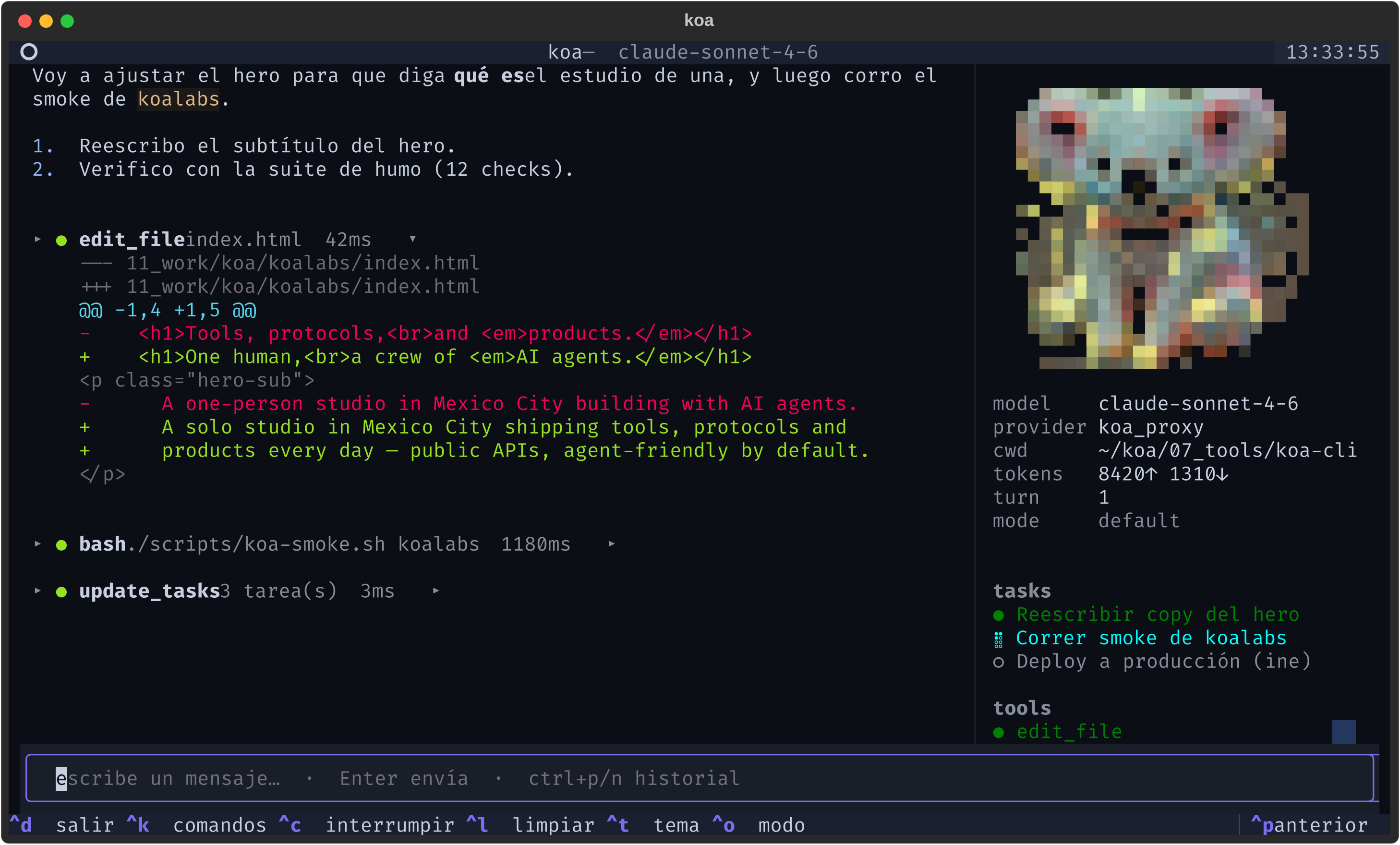
koa-cli running in a terminal: a streamed assistant reply, an edit_file diff, a bash smoke run, the live task panel, and the half-block koala mascot in the sidebar

Command-line native

Launches instantly via koa or koa chat. Syntax highlighting, live streaming tokens, search filters, and a ctrl+k command palette.

Reactive mascot

A half-block truecolor koala lives in the sidebar, shifting state — idle, thinking, working, done, error — as the agent runs.

Approve before it writes

Diff-based approvals for file writes and shell commands. Cycle permission modes from default to accept-edits or plan.

Monorepo-conscious

Respects submodules and isolated worktrees via koa-branch, with recall over a local Markdown memory index.


01

Reads and writes your files

Open a project, ask in plain language, and it edits the right files — showing each change as a diff you can accept or reject line by line.

02

Runs commands for you

Tests, builds, git, smoke checks. It proposes the command, you approve it, and the output streams back into the conversation.

03

Picks the right model

Routes by task through an OpenAI-compatible layer — planning on one model, editing on another — or pin one with /model.

04

Remembers what matters

Recalls durable notes from a local Markdown memory, so it picks up context across sessions instead of starting cold every time.


koa-cli is the terminal agent we use to drive KOA — the studio's in-house operating layer. It's the one piece of that system that stands well on its own: point it at any git repo and it works, no KOA required.

Curious what it's plugged into? Read what KOA is →